Translate English PDFs & documents to Russian scanned or digital — without breaking the layout
Documents headed for Russian-speaking countries — powers of attorney, corporate documents, certificates being prepared for notarization or apostille — usually need a Russian version that mirrors the original page for page. Reglyph translates scanned or digital English PDFs into Russian and rebuilds each page, which matters when a notary or receiving office compares the translation against the original line by line.
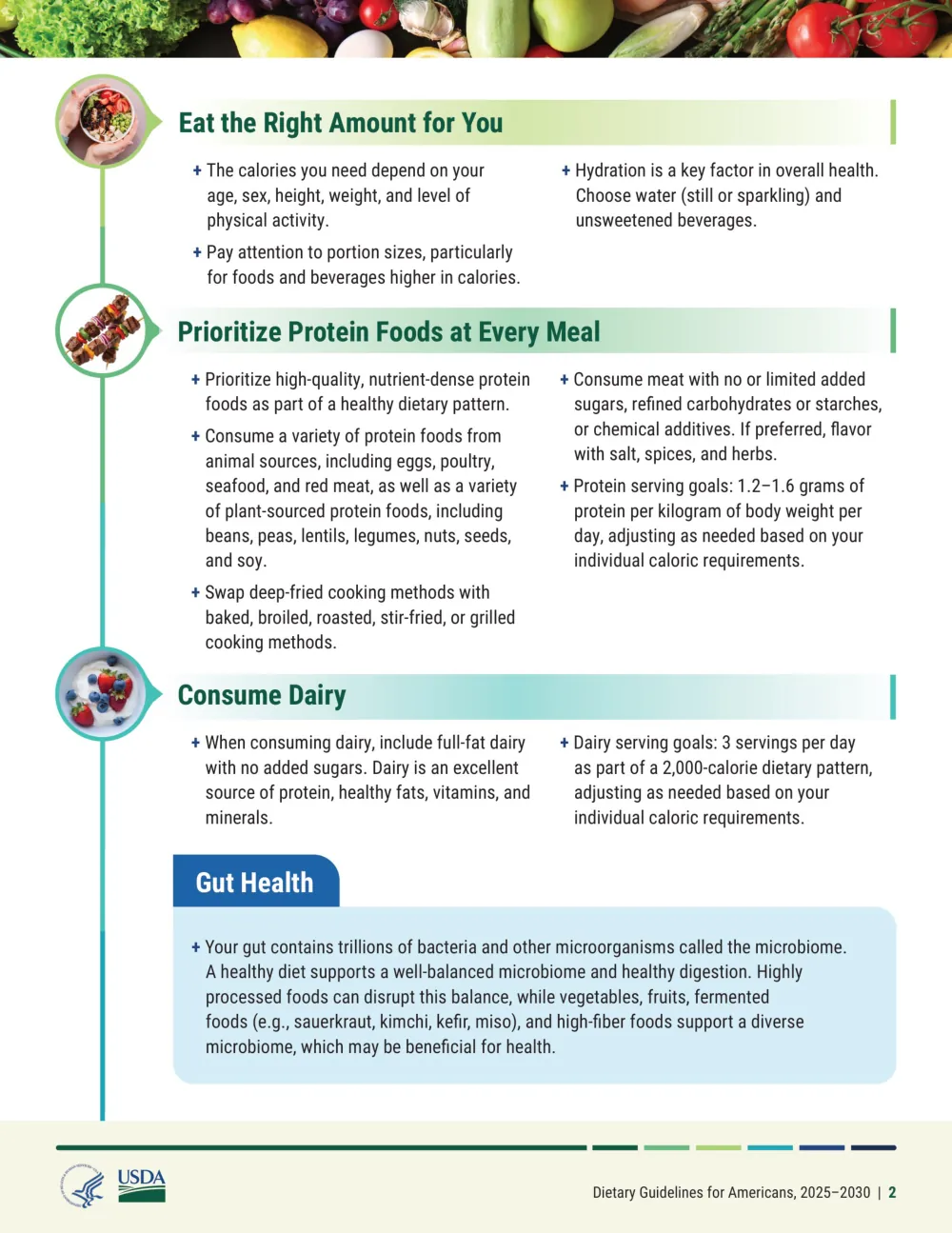
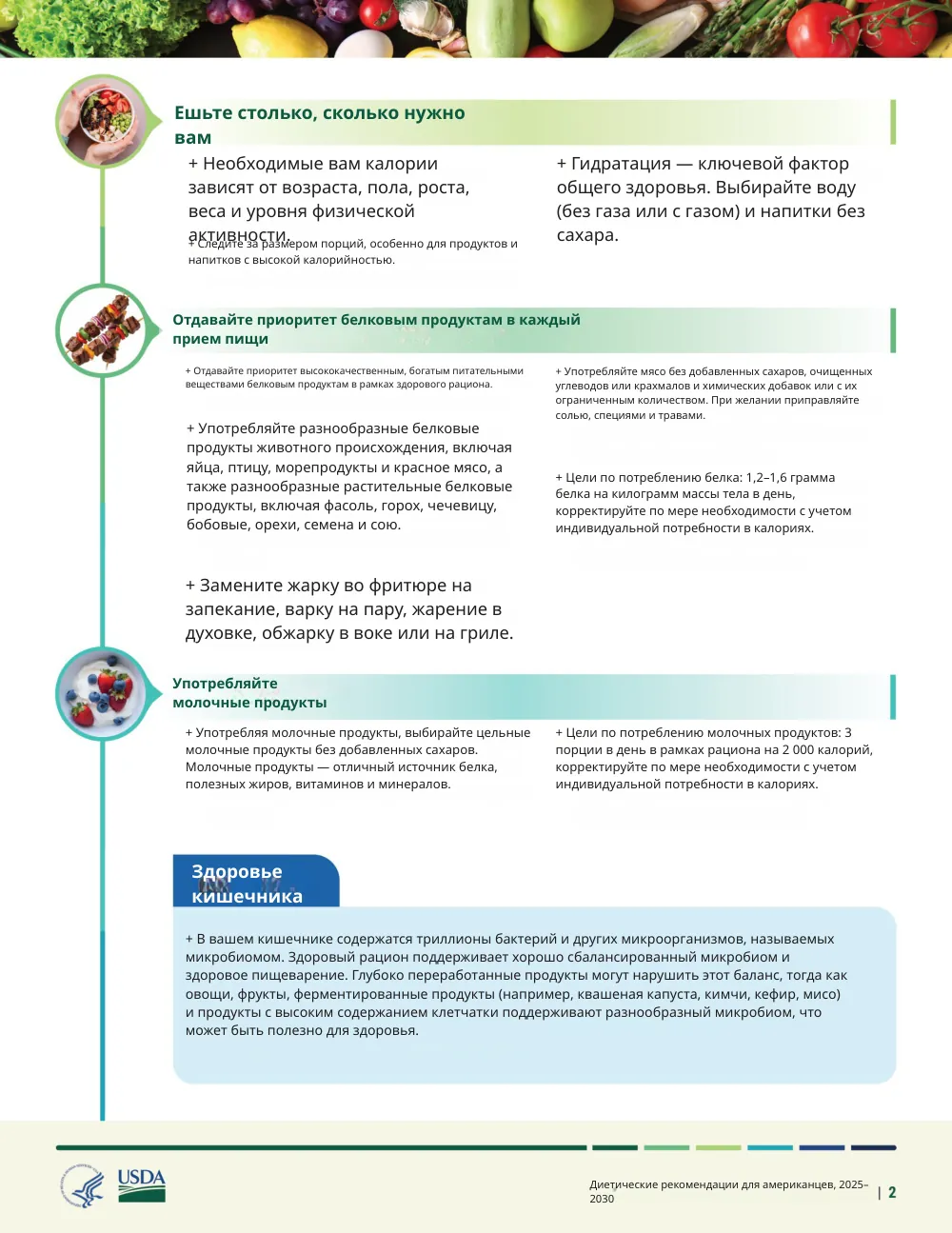
Typesetting Russian into an English layout
Russian text typically runs 10–20% longer than the English it translates, and Cyrillic words tend to be long, so table columns and form fields sized for English overflow easily. Because Reglyph erases the source text and re-typesets the Russian into the same blocks, the translation is fitted back into the original cells — tables, seals and signature lines stay where they were instead of spilling into the margins.
Common scanned English documents we translate
These are the English-language documents people most often translate to Russian — each keeps its original layout, seals, and tables.
- Powers of attorney being prepared for notarization
- English birth, marriage and death certificates for apostille workflows
- Corporate registration documents and articles of incorporation
- Commercial invoices and export paperwork for Russian-speaking markets
- English diplomas and academic records for recognition procedures
- Court and legal correspondence exported as PDF
How to translate a scanned English document
Upload your PDF
Drop in a scanned English PDF (one from your phone's scanner app works) or a digital PDF. Image-only PDFs are fine — no text layer needed.
We read & translate
OCR extracts the English text, then it's translated to Russian while the original text is erased from the page.
Download, layout intact
Get a clean PDF where tables, figures, stamps, and numbers sit exactly where they were.
English → Russian — frequently asked
Can I use a machine translation for a notarized or apostilled document in Russian?
No — notarization requires a translator who takes legal responsibility, and an apostille chain has its own formal requirements. Reglyph is the fast first step: it produces a Russian draft in the original layout, which a sworn or certified translator can then correct and certify far more quickly.
Russian text is longer than English — will my tables still fit?
Cyrillic translations often run 10–20% longer, which is exactly why overlay-style tools break tables. Reglyph erases the English and re-typesets the Russian inside the original table cells and text blocks, so the page structure survives even when the text grows.
Does it handle an old scanned certificate with stamps and seals?
Yes — scanned documents are what Reglyph is built for, and stamps, seals and signatures are preserved in place since only the text is replaced. Clear printed scans work best; heavily degraded or handwritten pages may OCR incompletely.
Choose your plan
Simple, scan-friendly pricing. Pages are pages — no multiplier for scanned files.
Pay-as-you-go
Translate a few pages. No commitment.
$0.30 a page, from 10 pages — you pay for exactly 10 pages.
- Pages never expire
- Up to 100 MB per file
Lite
Most popularFor individuals with scans to translate every month.
Pro
For high-volume users with scans to translate every week.
- $0.06 / page
- 500 pages every month
- Unused pages roll over (up to 1,500)
- Up to 100 MB per file
Translate scanned PDFs in other languages
Guides on translating scanned documents
Can ChatGPT Translate a Scanned PDF? What Works and What Doesn't
Vision models genuinely read scans now. The question isn't whether ChatGPT can translate your PDF — it's whether a chat reply is actually what you need back.
Read guideTranslate a Scanned PDF on Your Phone (iPhone & Android)
Camera-translate apps are great for reading a page on the spot, but they don't give you a file — here's how to get an actual translated PDF from your phone.
Read guideWhy Does My Scanned PDF Translate to Gibberish? (And How to Fix It)
Random symbols, blank pages, or 'PDF tools are temporarily offline' — the cause is almost always the same one thing, and it's fixable.
Read guide